Akismet is a spam protection plugin and probably the first plugin every WordPress user activates. It monitors all the WordPress comments in real time and marks and moves spam comments automatically. You can then go and move all the spam comments to trash at once. This saves a lot of time in WordPress comment moderation.
Akismet comes bundled with WordPress. So you just need to activate it. But it will NOT start working automatically after you activate it.
Note: If you used a non standard WordPress installation, then you may not get Akismet plugin automatically with it. You can manually download Akismet and install it.
Once you activate it, a message will be displayed on the dashboard that says that you need to get Akismet API Key and put it in the Plugins > Akismet Configuration page.

Here’s the procedure to get the Akismet API Key, which is also known as the WordPress.com api key.
How To Get Akismet API Key or WordPress.com API Key
• Go to akismet.com and click on Get Started button in the top right corner.
• On the Akismet API key signup page, select the appropriate plan. Assuming that you are a blogger and you need a free Akismet API Key, click on ‘Personal’ plan.
• On the next screen, click on Sign up with WordPress.com and complete the signup procedure to get a WordPress.com account for an Akismet API key.
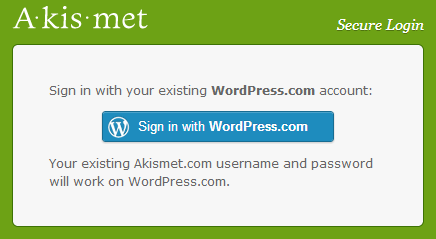
• After registration, you’ll receive the usual activation email. After you activate your account, go to Akismet login page, https://akismet.com/account/login/, and login with your WordPress.com account credentials.
After logging in, click on the ‘reveal’ link to get the Akismet API key.
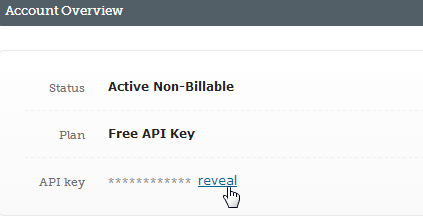
Now that you have the Akismet API key, go to the Akismet configuration page on your WordPress dashboard (Plugins > Akismet Configuration) and enter the Akismet API key and click on the ‘update options’ button.
This’ll activate Akismet and you’ll see this message.

That’s it! Now Akismet will start working automatically immediately.
Related: Check and download free Google Plus or Google+ like WordPress theme.