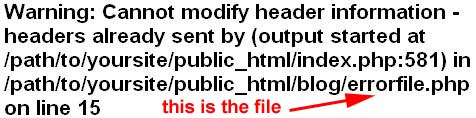
This is one of the most frequent problem with WordPress. After modifying a file or transferring/replacing a file using FTP, you may have seen an error like this,
Warning: Cannot modify header information – headers already sent by (output started at /path/to/yoursite/public_html/index.php:581) in /path/to/yoursite/public_html/blog/errorfile.php on line 15
This error message signifies that there are some stray characters, like spaces, before the opening tag(<?php) or after the closing tag(?>) of the php file that generated the error (errorfile.php in our case, see the error message above).
To fix the cannot modify headers error in WordPress, download the file causing the error using ftp (It is the file at the end of the error message).
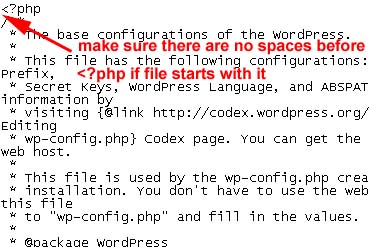
Now open the file in any plain text editor like notepad. Move the cursor to the start of the file and delete all the spaces there. Make sure that the file starts with <?php. Note that some files can starts with HTML tag like <div id=”hacktrixRocks”>.
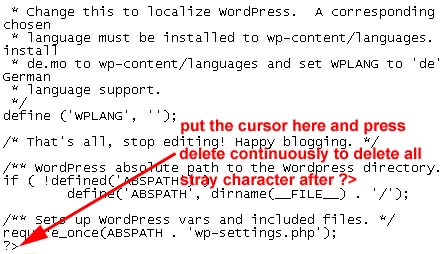
Now move the cursor to the end of the file and delete all the spaces after ?>.
Now save the file and replace the original file in your web directory with this file using FTP. That’s it.